3. Adding annotation from a BioCyc Database
For details on inputs go to Description of Inputs.
For information about coralME architecture go to Architecture of coralME.
3.1. Download files from BioCyc
BioCyc files are optional but useful, you should download them after having your gene id consistent M-model and genbank files.
The quickest way to do this is to copy one of the genes from the genbank file into the BioCyc search bar. Your organism should appear in the list if it is available in BioCyc.
To download:
3.1.1. Go to Tools>Special SmartTables

From here you can download the 5 optional BioCyc files for your organism.
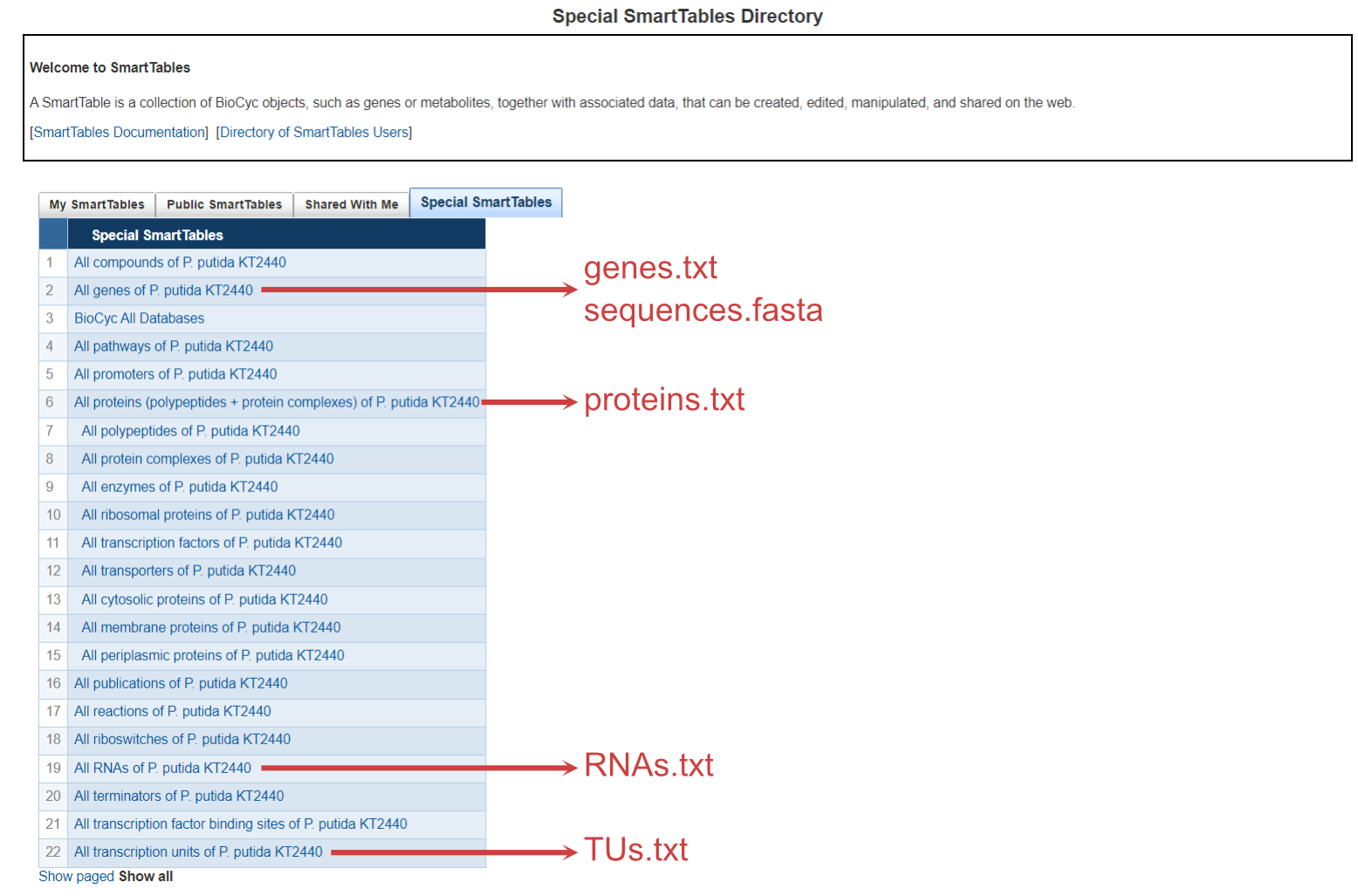
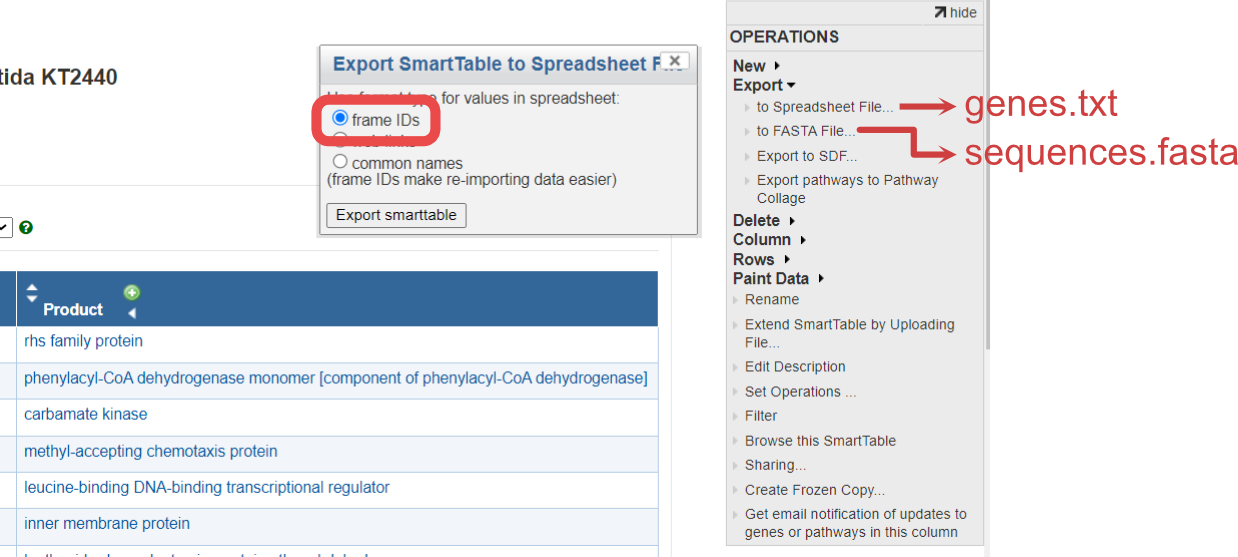
3.1.2. Download genes.txt and sequences.fasta
3.1.3. Download proteins.txt, RNAs.txt and TUs.txt
The same process of genes.txt applies to proteins.txt, RNAs.txt and TUs.txt.
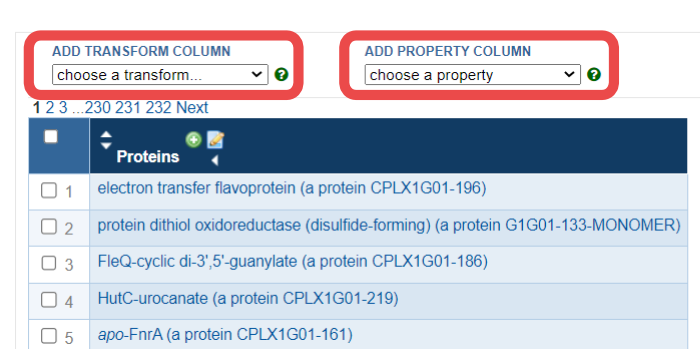
Some columns must be added manually using BioCyc’s dropdown lists ADD PROPERTY COLUMN and ADD TRANSFORM COLUMN within the SmartTable editing webpage.
3.1.3.1. Download proteins.txt
The index (Proteins Complexes) is in the SmartTable by default, but you need to add the columns Common-Name, Genes of polypeptide, complex, or RNA, and Locations.
Common-Name is available in the dropdown list ADD PROPERTY COLUMN
Genes of polypeptide, complex, or RNA is available in the dropdown list ADD TRANSFORM COLUMN
Locations is available in the dropdown list ADD PROPERTY COLUMN.
3.1.3.2. Download RNAs.txt
The index (All-tRNAs Misc-RNAs rRNAs) is in the SmartTable by default, but you need to add the columns Common-Name, and Gene.
Common-Name is available in the dropdown list ADD PROPERTY COLUMN
Gene is available in the dropdown list ADD PROPERTY COLUMN.
3.1.3.3. Download TUs.txt
The index Transcription-Units is in the SmartTable by default, but you need to add the columns Genes of transcription unit, and Direction.
Genes of transcription unit is available in the dropdown list ADD TRANSFORM COLUMN
Direction is available in the dropdown list ADD PROPERTY COLUMN.
3.2. Initialize the folder for your organism
Copy your files to create your initial folder
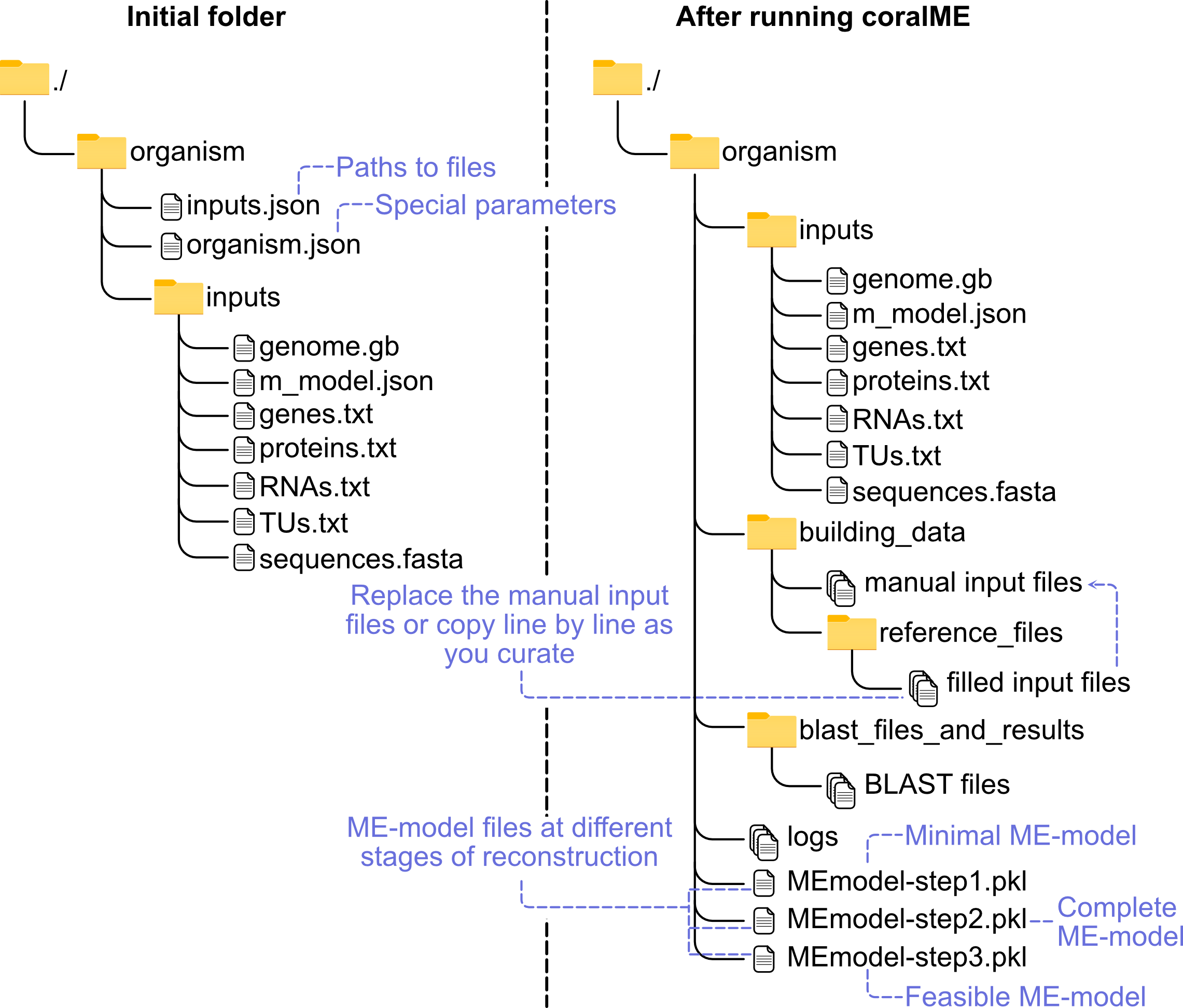
3.2.1. Define inputs in input.json.
See an example of input.json
3.2.2. Define parameters in organism.json.
See an example of organism.json
Note: You do not need to modify these parameters right away. But once you are at the curation stage you will have to ensure these parameters are applicable to your organism.